Guide · Schools
School email list: the procurement game
A school is not one buyer with one inbox. It is a front office that screens you, a head who decides, and often a council that holds the purse. Plan for all three.
Covers Norway, Sweden, Denmark and FinlandNot a tracked category — no live count hereLong cycles, keyed to the school year
The honest scope, up front
We track 27 trades. Schools are not one, so this page publishes no count.
FindAndClose builds local business lists from Google Maps. We cover Norway, Sweden, Denmark and Finland.
Schools are not a tracked category in our file. So there is no live figure here, and we will not pad the page with an invented one.
The app reaches the category anyway. Search the Maps listing for schools, and the count shows before you export a single row.
For a US or global list, a worldwide scraper like Outscraper is the right tool. Our coverage stops at the four Nordic countries.
Note that a Maps pin marks a school building, not a decision-maker. For a public school, the buyer may sit in a council office in another town. This page is about finding your way from the pin to that person.
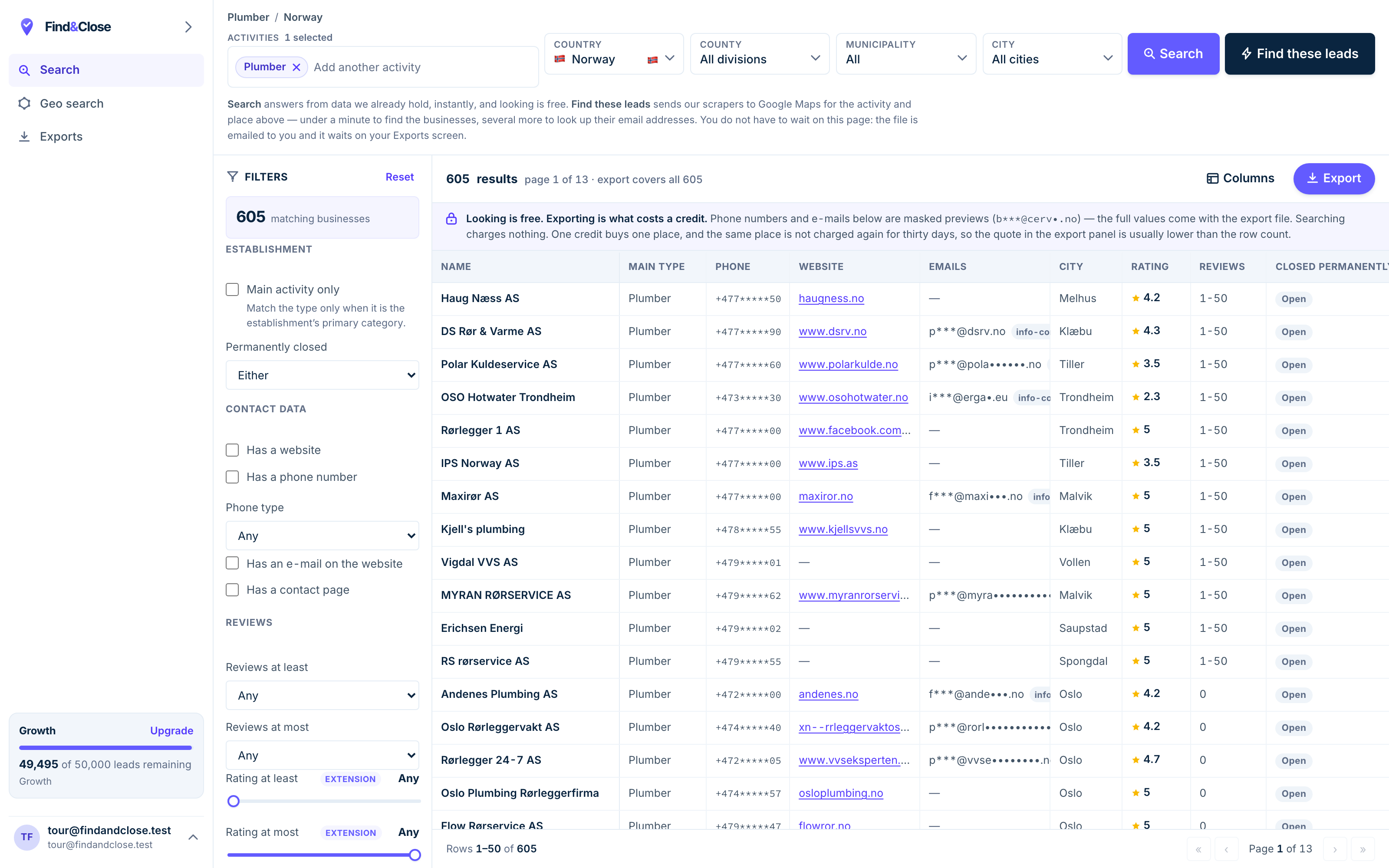
- Pick the trade Type it and take the match. One trade or twenty, on every plan.
- Pick the place Country, county, municipality, city. No plan gates the geography.
- The count moves first The number updates before you spend anything. Looking is free.
- Filter to the ones worth calling Has email, has phone, has a website, has a contact page. Combine them freely.
- Contacts are masked until export You can see a row exists and judge it. The address itself is the product.
- Export what you are looking at The file is exactly this filter set, with nothing dropped in between.
Public or private decides how you sell
Two schools on the same street can buy in two very different ways.
A private or international school tends to hold its own budget. The head or the business manager can decide, and the cycle is short enough to work in a term.
A public school is another world. The money often sits with the municipality, and real spend runs through procurement.
- Framework agreements: the council pre-picks suppliers, and caps off-list buying.
- Tenders: anything of size goes out to bid, on the council’s timetable, not yours.
- Spend limits: a head can buy small items but not commit to a contract.
- The real buyer may be a procurement officer you never see on a school listing.
So the first question about any school row is: who holds the money? For a private school it is inside the building. For a public one, follow the trail to the council. The industry hub shows how to sort a school file by type before you write.
The front office is built to stop you
Schools guard their staff and their pupils, and the office screens hard because it has to.
A school reception fields parents, deliveries and safeguarding calls. And a queue at the desk. A cold seller is bottom of that list, and the office knows how to end the call.
So a straight pitch to the main number or the general inbox goes nowhere. You need a name.
- The head or principal owns vision-level and whole-school decisions.
- The business or office manager owns supplies, catering, facilities and the day-to-day spend.
- The IT or curriculum lead owns edtech and the tools that touch teaching.
- For public schools, the council procurement officer owns anything of size.
Get the name and the role right and the front office becomes a router, not a wall. "I emailed [name] last week about [topic]" is a follow-up the desk will pass on. "Can I speak to whoever buys software" is a call it will end fast. How to find business email addresses ranks the ways to get the name first.
The clock runs on the school year
A school does not buy when you are ready. It buys on a calendar set years ago.
The budget year and the school year rule the timing, and the sales cycle is long. Months, not weeks, is normal.
The school makes autumn decisions in spring. A tool a school will use in September is chosen, budgeted and rehearsed before the summer break.
- Spring: the council sets budgets and the school picks next year’s tools. This is the window.
- Early autumn: term starts, everyone is underwater, and nobody buys.
- The exam stretch: the school has no attention to spare for you.
- The summer break: the building empties and decisions stall until term.
So pitch a school the term before it needs the thing, not the week it needs it. And expect to touch the buyer many times over a long cycle. The list building guide covers keeping a warm file over months without wearing it out.
A cadence built for a long cycle
Written for someone selling edtech, supplies or services to schools. Patient, named, and timed to the term. Run it in your own tool — we build lists and send nothing.
-
Subject for [name], before next year’s budget closes
Hi [name]. I work with schools on [your offer in one plain line]. I am writing now on purpose, while you still plan next year.
It fits [the term or programme it serves], so the time to look is before the budget sets, not after.
Worth two examples? If not, reply stop and I will not write again.
A named recipient and a budget deadline do the work. Writing in spring proves you understand that a September tool is a March decision.
-
Call the office in the mid-morning lull, not at drop-off or pick-up.
Do not pitch the desk. Say you emailed [name] about [topic] and ask the best way to reach them.
For a public school, ask one more thing: is this bought through the council or in-house?
The office routes named follow-ups and blocks cold pitches. The procurement question tells you whether the real buyer is even in the building.
-
Subject the details for the budget round
Here is everything on one page for your budget discussion: scope, price, and how other schools use it: [link].
If it goes through the council, tell me and I will send the framework and tender details.
No rush. Reply stop any time and I will close the file.
Schools decide in meetings you are not in. A single page they can table, plus the procurement paperwork, lets the case be made without you present.
-
Subject a quick check before term starts
Term is about to start, so this is a short one. Is [offer] still on the list for this year?
If it slipped past the budget, I will come back for the next spring round. Say the word and I will diarise it.
If it is a no for good, reply stop and I will close your file.
School cycles are annual, so a miss is a wait, not a loss. Offering to return next spring turns a dead lead into a dated one.
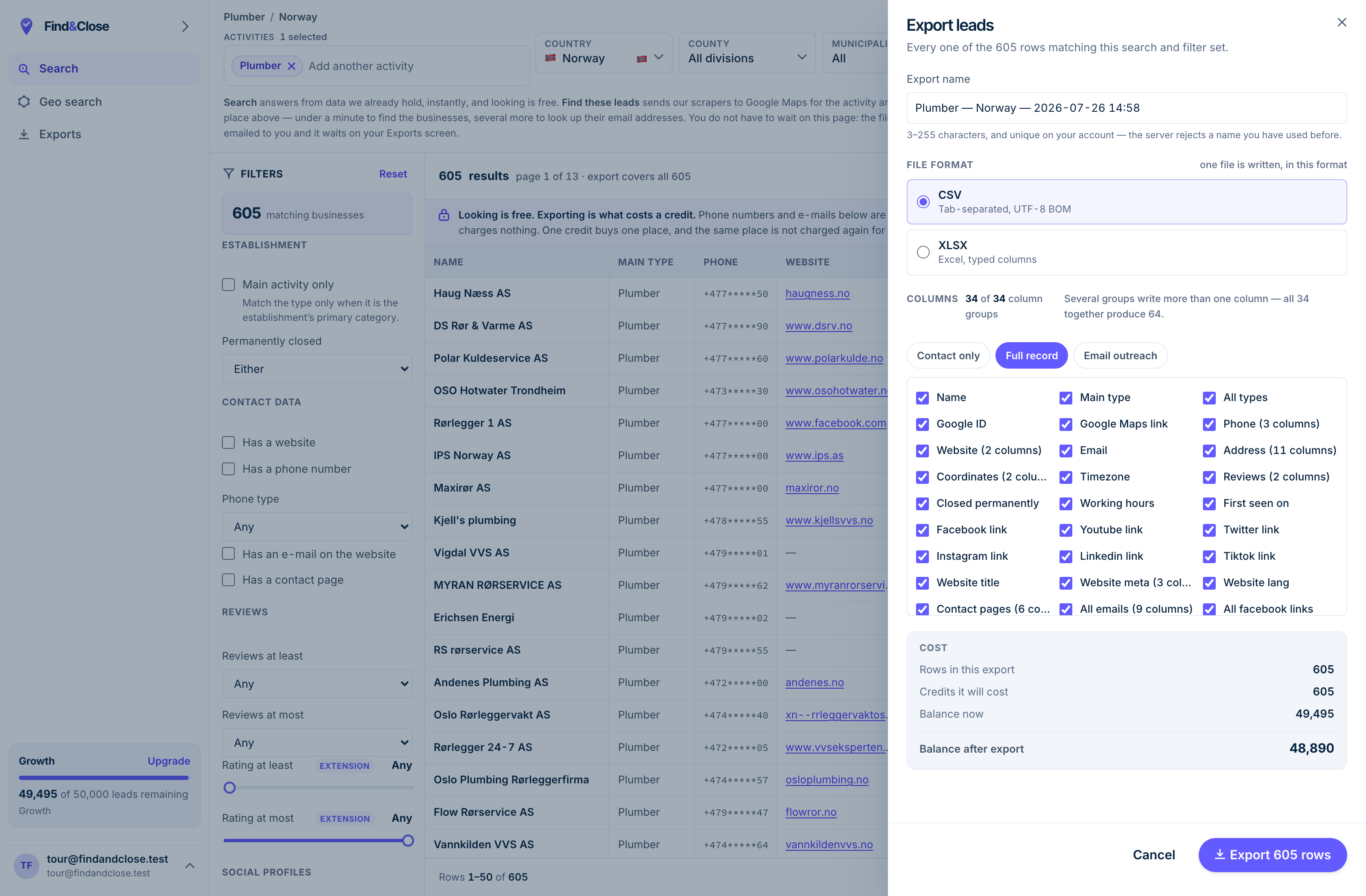
- It exports the whole result Every row the filter matched, not the page you happen to be looking at.
- CSV or XLSX Tab-separated UTF-8, or typed Excel columns. One file per job.
- 34 groups, 64 columns The same 64 on every plan. Nothing is held back for a higher tier.
- Three presets Contact only, full record, or the outreach set. Or tick your own.
- The cost, before you commit One credit per place, once per 30 days. Re-downloading is free.
Questions about school lists
Do you publish a count of schools?
No. Schools are not one of the 27 trades our page set tracks, so we hold no figure and will not invent one.
The category is searchable and exportable in the app on any plan. The published page is what we withhold, not the data.
Who actually buys for a school?
It depends on the school and the item. Heads own whole-school calls, office managers own supplies and facilities, and IT or curriculum leads own edtech.
For public schools, anything of size runs through a council procurement officer who may not appear on any school listing.
How do I get past the front office?
With a name, not a pitch. The desk routes a named follow-up and blocks a cold seller, because screening sellers is part of the job.
Find the buyer’s name before you call. How to find business email addresses ranks the methods without spin.
Why is the sales cycle so long?
Because schools buy on the school year and the budget year, and public ones add procurement on top. Months is normal.
Schools decide autumn in spring. Pitch the term before the need, not the week of it.
How do public procurement rules change my pitch?
A council may already run framework agreements that limit who a school can buy from, and larger spend goes to tender on the council’s clock.
So find out early whether your buyer is the school or the council. Selling hard to a head who cannot sign wastes the whole cycle.
Go deeper
The sibling buyers and the guides for a long, named campaign.
Search the school category and start in spring
Fourteen days, 100 leads, no card. Enough to pull one region of schools and sort public from private before the budget round.
- 14-day free trial
- 100 leads included
- No credit card